Prism Player
Overview
Prism Player is the new theme for the Brightcove Player. It provides a more modern player experience, additional customization options, and has been assessed for conformance with WCAG 2.2 Level AA.
Prism Player is available for players using Brightcove Player version 7.48.0 or later.
Existing players
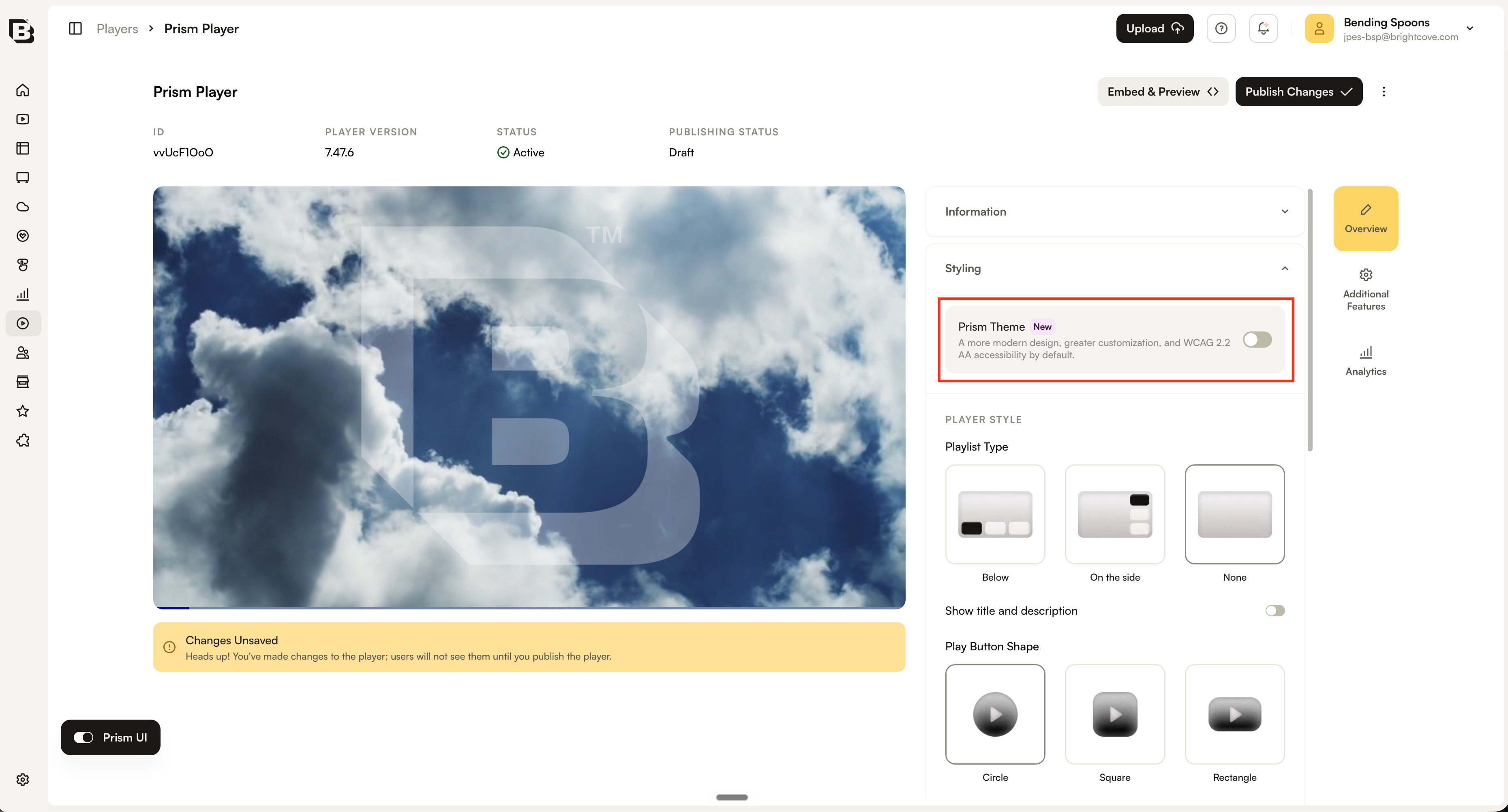
When an existing player is updated to Brightcove Player version 7.48.0 or later, the player continues to use its current theme. You can manually opt in to the Prism theme from the player settings.
- Open the Players module.
- Click the player you want to configure.
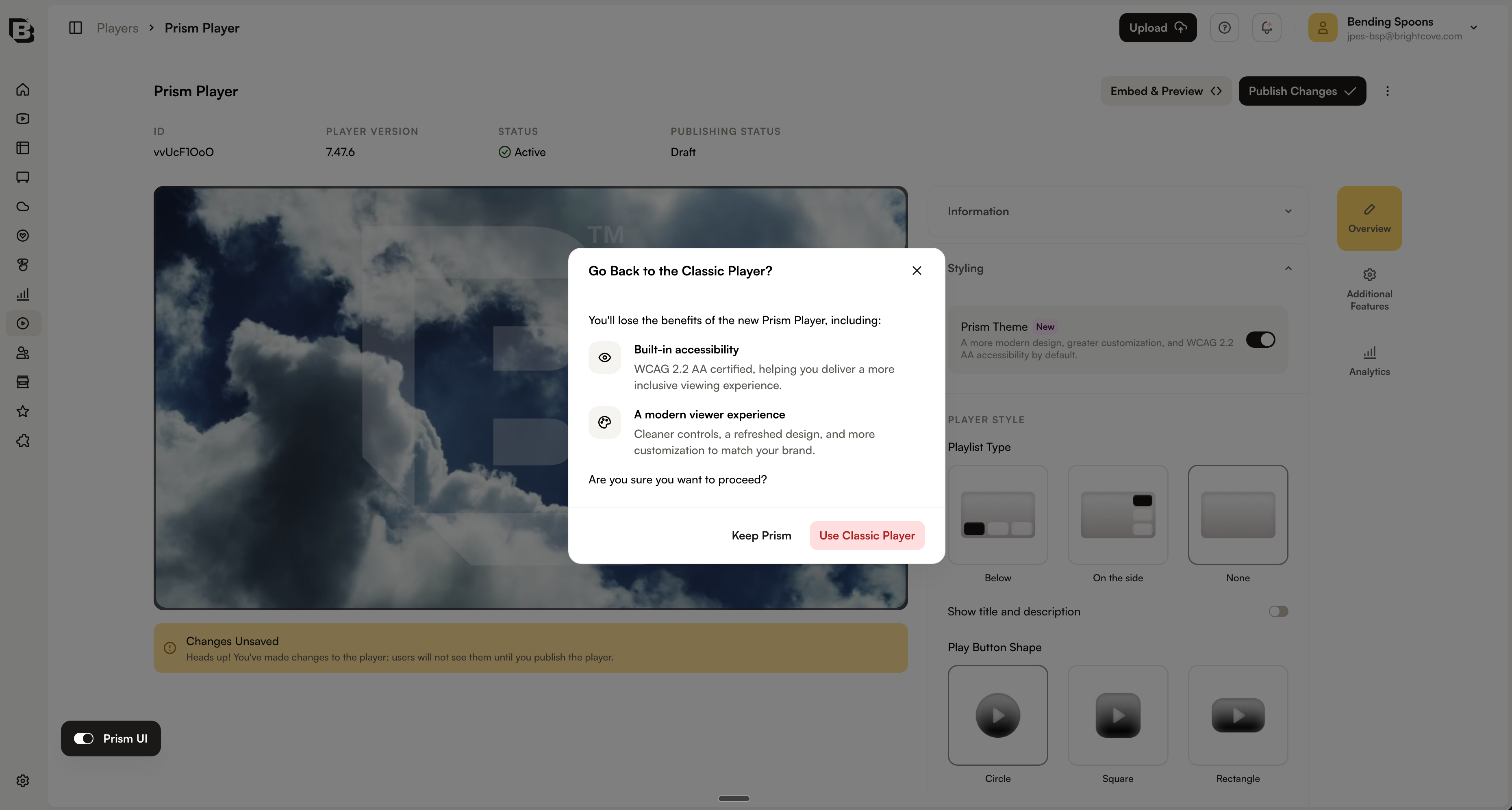
- In the Styling section, locate the Prism Theme toggle under the styling options and set it to On.
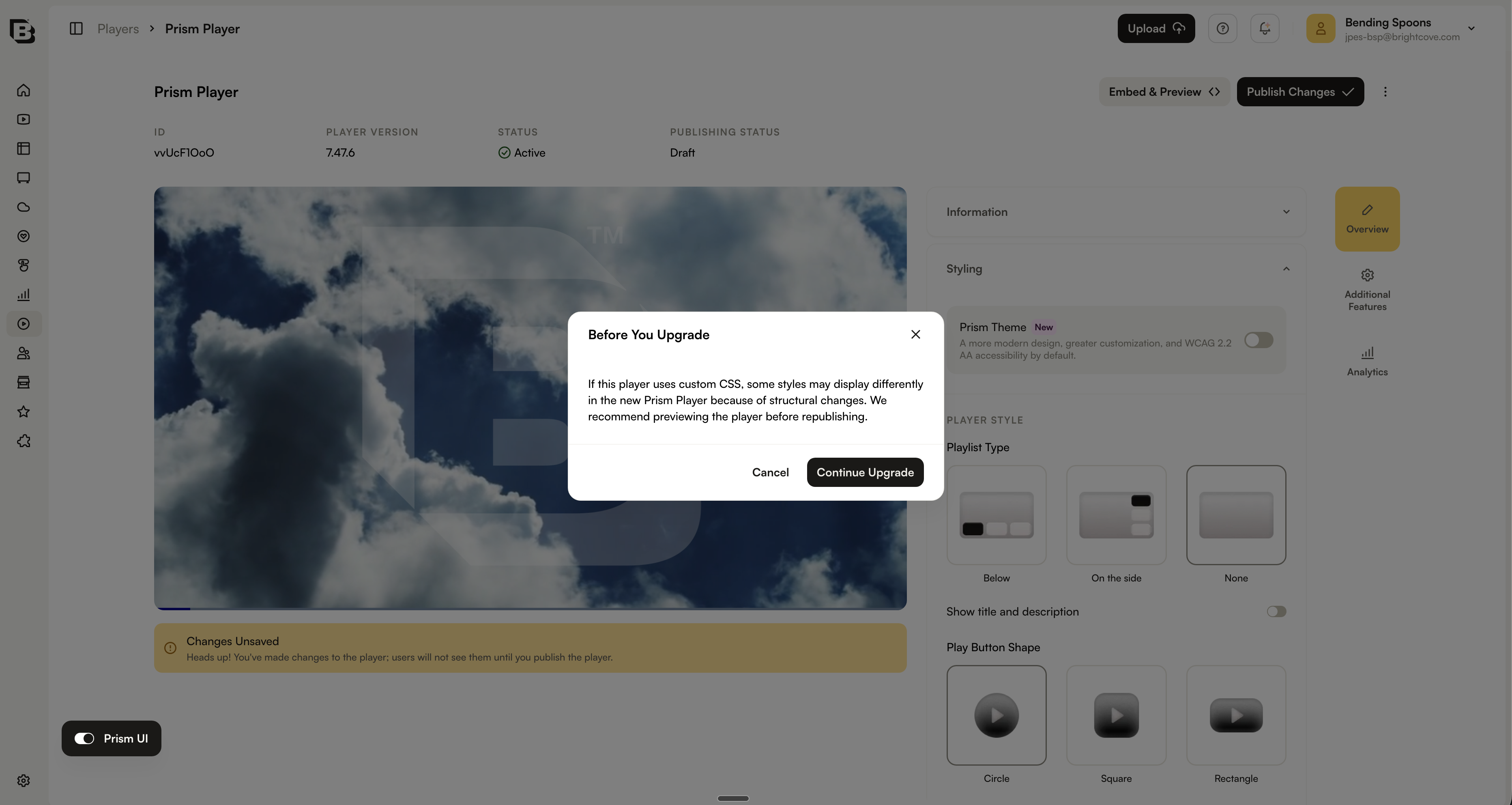
- Confirm that you want to enable the Prism theme.
- Save and publish the changes.
New players
New players created with Brightcove Player version 7.48.0 or later use the Prism theme by default.
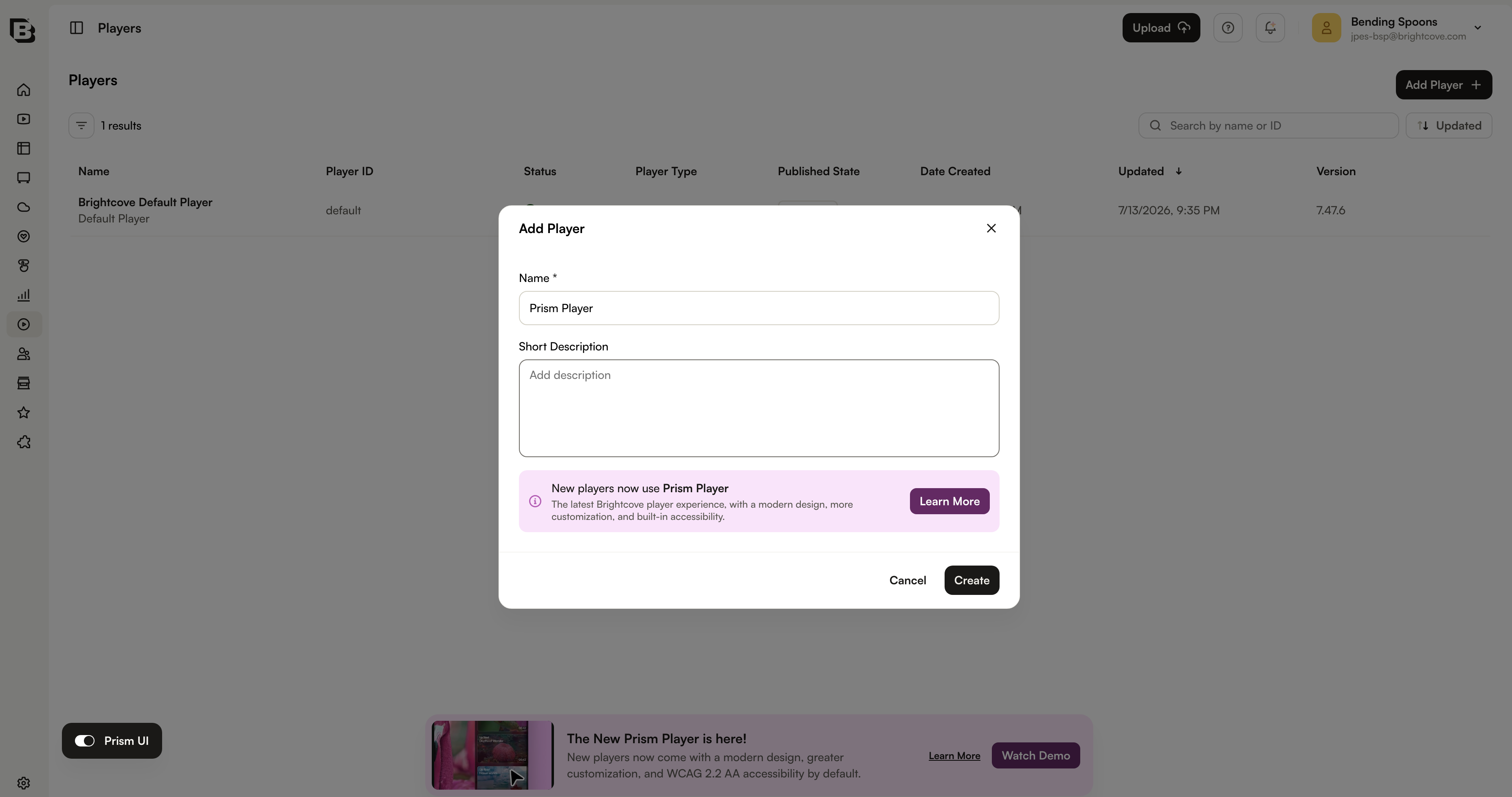
You can opt out of the Prism theme using the same Prism Theme toggle used to opt in existing players. Confirm the change, then save and publish the player for it to take effect.
Styling options
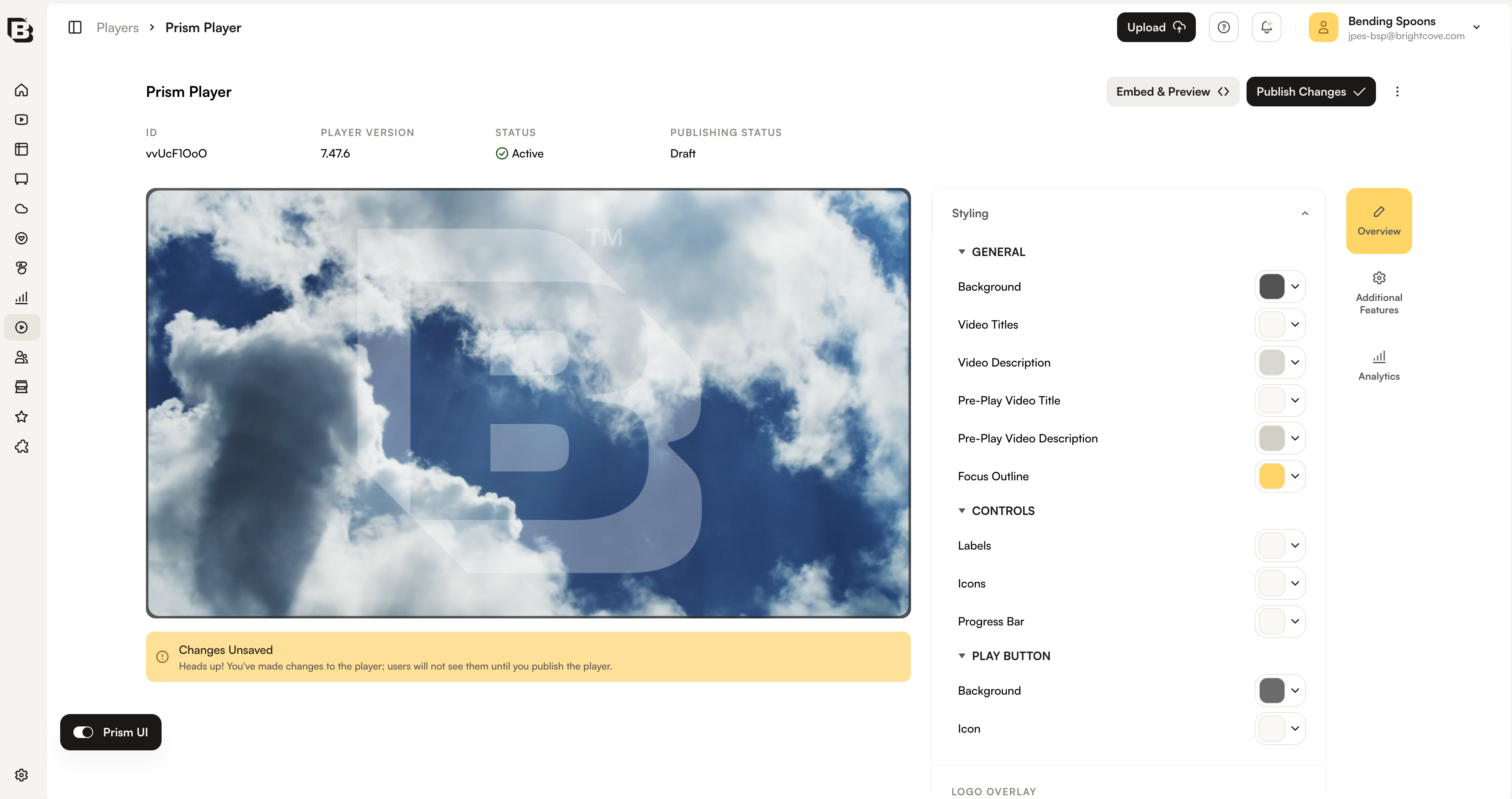
The Prism theme provides styling options that let you customize the player without writing CSS. To view these options, open the player in the Players module and expand the Styling section.
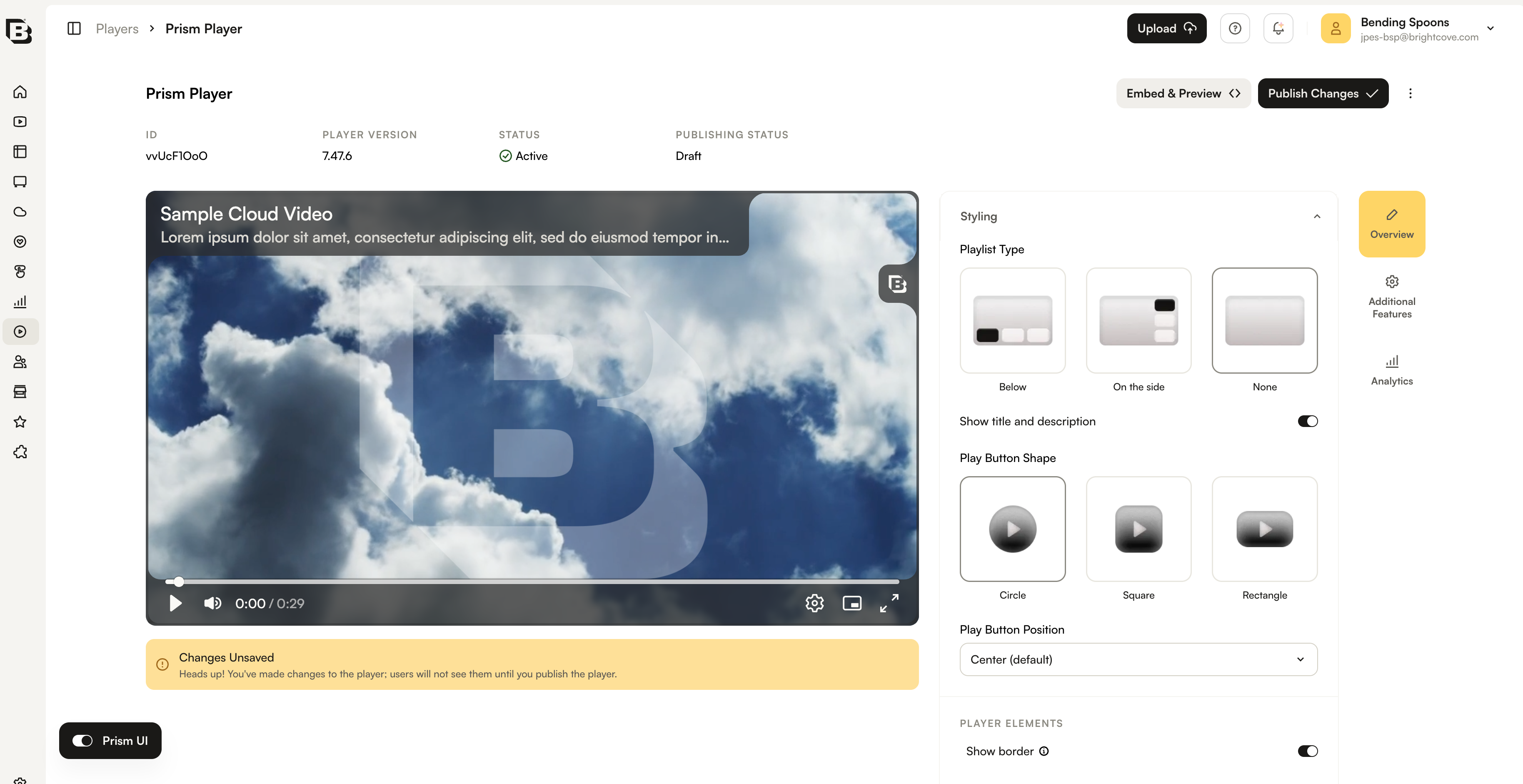
The Prism theme includes the typical styling options available in the previous player styling experience:
- Playlist styling
- Play button shape
- Play button positioning
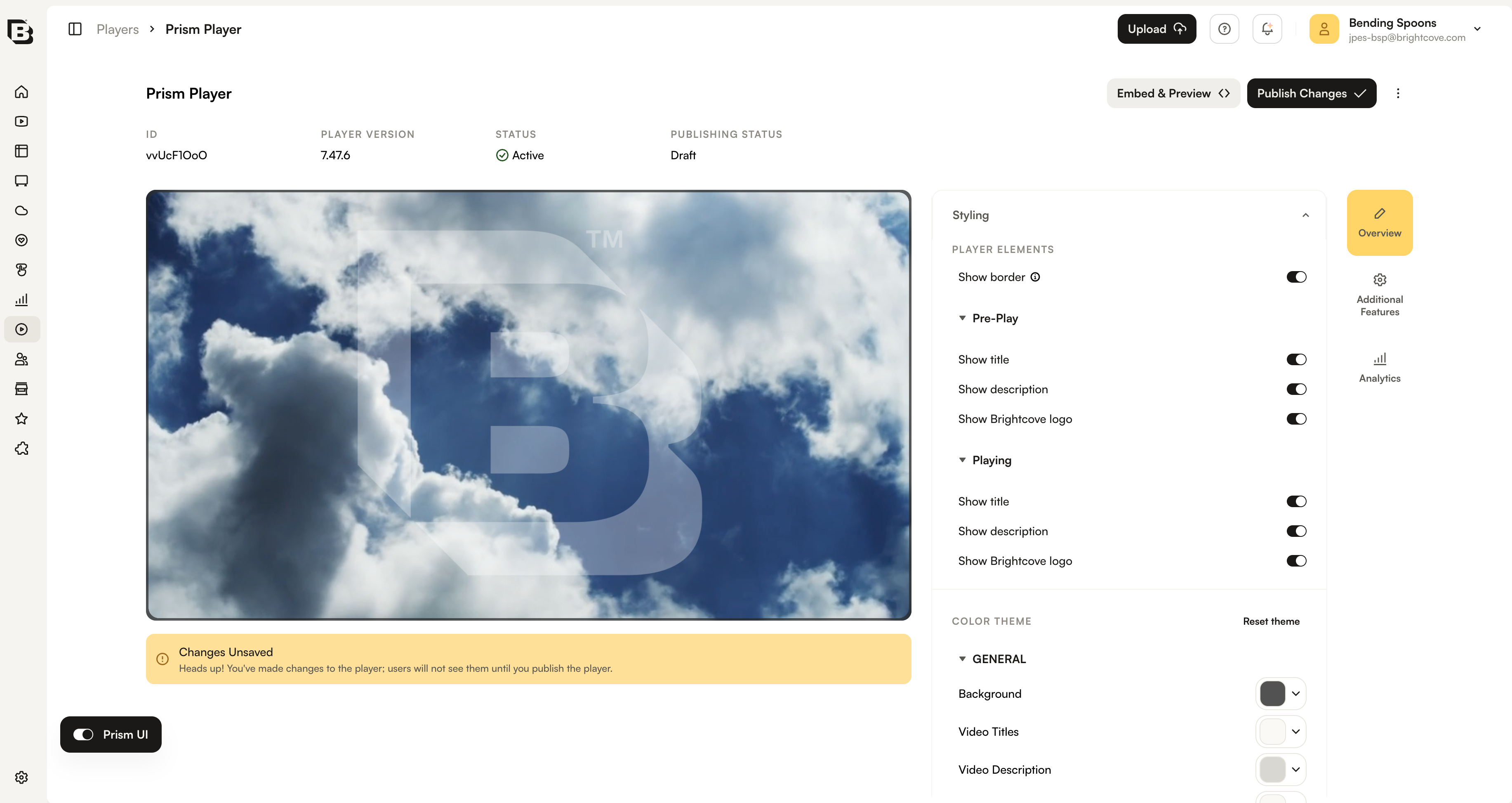
Prism Player also provides more refined styling options for the player itself. These options include settings for the player state, allowing you to differentiate between the pre-play and playing states. You can show or hide the title, short description, and Brightcove logo.
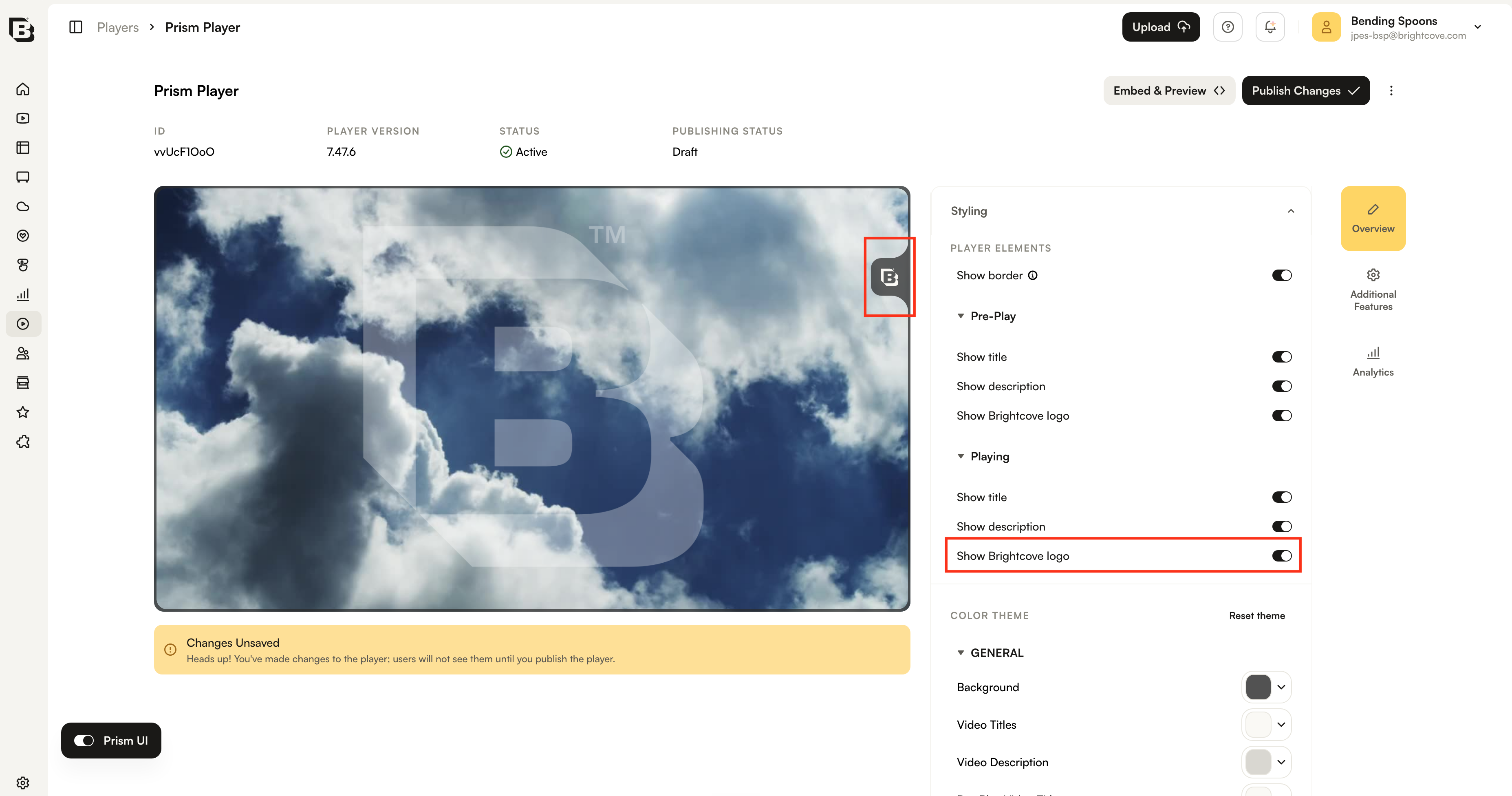
Use the Brightcove logo toggle to choose whether the logo appears in the player.
Similar to the old theme, you can also customize the colors used by the Prism Player.